


The Classic MP3 Pod by Cloffa
The Classic MP3 Pod by Cloffa
✓ Standard 128GB. Upgradeable up to 2TB.
✓ Bluetooth connected & 3.5mm jack
✓ Hi-Fi Sound. Every note, exactly as intended.
✓ 40-hour battery - leave the charger at home
✓ Drag-and-drop loading - no apps, no Wi-Fi


Couldn't load pickup availability
🔥 Limited stock — ships within 24 hours
 PayPal Buyer Protection
 1 Year Warranty
- Perfect Gift

Shipping (Your Destination): 6 Days
- Google pay payment method
- Apple pay payment method
- American express payment method
- Visa payment method
- Master payment method
- Paypal payment method
MUSIC DOWNLOAD & SETUP HELP INCLUDED

MUSIC DOWNLOAD & SETUP HELP INCLUDED
Our team personally follows up with every customer to help you get your music set up — no tech experience needed, we've got you covered from unboxing to first play.
What's in the box
What's in the box
Every Cloffa MP3 Pod ships ready to use:
- Cloffa MP3 Pod (your chosen color)
- USB-C charging & transfer cable
- Wired earbuds (3.5mm)
- Quick-start card
- 1-year warranty
- Case protector
128GB as standard, microSD slot for expansion up to 2TB (card sold separately).
How do I load music — including from iTunes?
How do I load music — including from iTunes?
Simply connect The Cloffa MP3 Pod to your computer with the included USB cable — it will appear as a USB drive, just like a flash drive. Then drag and drop your MP3, FLAC, or WAV files directly onto it. If you use iTunes or Apple Music, go to your Music folder on your computer (Mac: Finder → Music → Media → Music), find your tracks, and drag them straight across. No special software or accounts needed.
How to export music files from my old iPod?
How to export music files from my old iPod?
Step-by-Step Instructions
- Connect your iPod to your computer using your USB cable.
- Enable Hidden Files:Windows: Open File Explorer, go to the View tab at the top, and check the box for Hidden items.Mac: Open Finder, press Command + Shift + Period ( . ) on your keyboard to reveal hidden files.
- Locate the iPod Folders: Open the iPod (which will show up as an external drive) and double-click the iPod_Control folder, then the Music folder.
- Copy the Music: Inside, you will see folders named F00, F01, F02, etc. Copy all of these folders and paste them into a new folder on your computer's desktop.
The Sync Warning: What it means and what to click
When you connect your iPod, you will likely see a prompt saying:
"The iPod is synced with another iTunes library. Do you want to erase this iPod and sync with this iTunes library?"
- Click CANCEL. Do not click "Erase and Sync".
Where can I find free music?
Where can I find free music?
For a full guide on where to download free music, email us at hello@cloffa.com with your order number and we'll send you the instructions.
Frequently asked questions
Frequently asked questions
What software do I need to transfer music? None. The player shows up as a standard USB drive on your computer — just drag and drop files using Windows Explorer or Finder. Any music manager like MediaMonkey or Winamp can still manage your library on the PC side.
How do I load music? Connect to the computer via USB and drag & drop files into the device.
Can I load my CDs onto it? You'll need a computer to convert your CDs to MP3 files first, then transfer them to the player. No way to do this from iPhone or iPad alone unfortunately.
Does it have Bluetooth? Yes, but it also has a 3.5mm jack for wired headphones and connecting to amplifiers/receivers.
Does it support playlists? Yes, it supports M3U playlist format. You can have multiple playlists with files of the same name as separate copies in different folders.
What audio formats does it support? FLAC, MP3, AAC, WAV, WMA, APE, and OGG.
What's the highest quality FLAC it can play? Up to 24-bit/192kHz — full hi-res lossless audio is fully supported.
Can I connect it to my vintage hi-fi? Yes — just use a 3.5mm to RCA cable, widely available for a few dollars.
What about import taxes? Listed price is the final price. No surprise charges at the door for all orders.
Can I use wired earbuds with it? Absolutely — just plug any standard wired earbuds or headphones straight into the 3.5mm jack.
Does it have variable playback speed? Yes!

The Classic MP3 Pod by Cloffa

"I haven't felt this nostalgic since 2005. The click wheel feels so satisfying and the sound quality is surprisingly great. No apps, no complicated notifications, just pure music like the old days."


Featured on


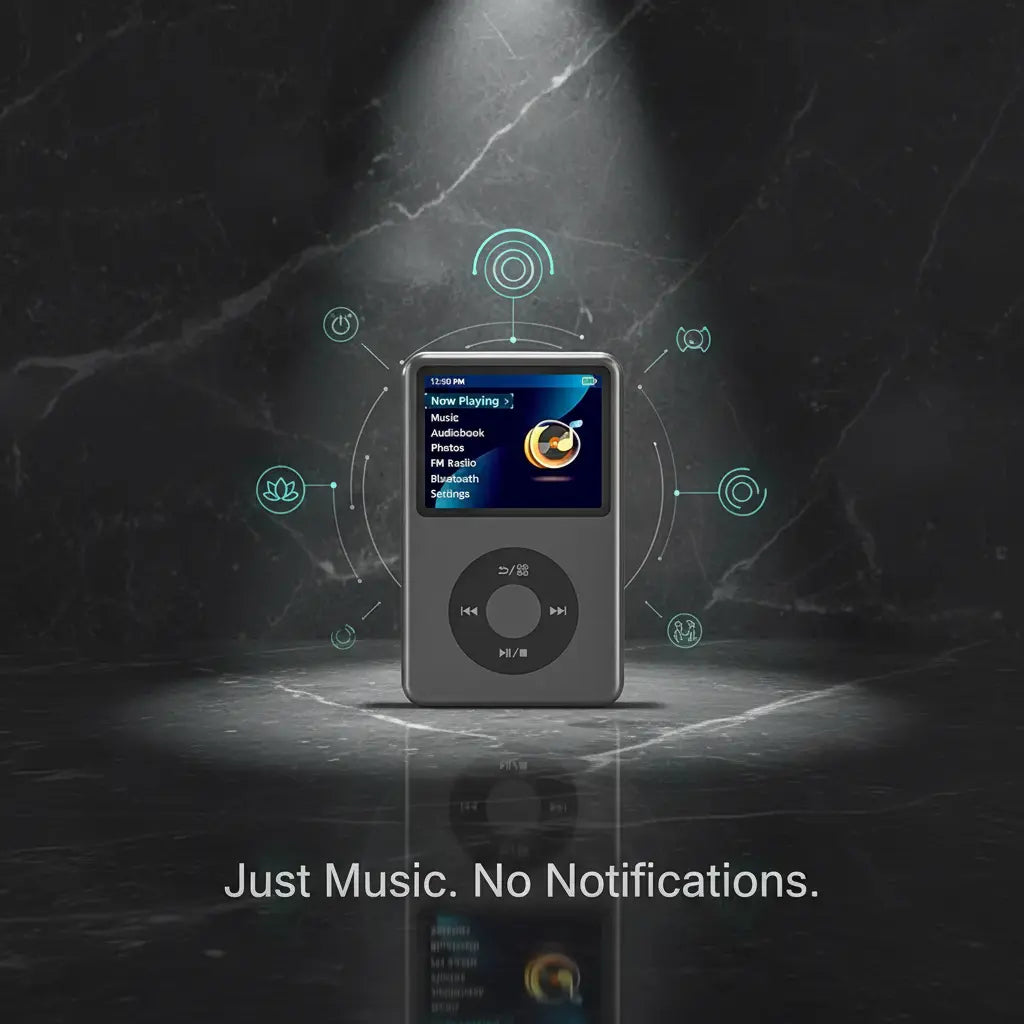
Just music.
No notifications.
You open your phone to skip a song. Forty minutes later, you're still scrolling. Take music off your phone. Keep your phone. Get your attention back.

Rated by Real Music Lovers
Rediscovering the joy of just listening to music. Here's what they have to say.
Customers consistently highlight three things: the satisfying click wheel that takes them straight back to 2005, the pure distraction-free listening experience, and the impressive battery life that outlasts any smartphone. These verified reviews represent real people across ages and lifestyles — from gym-goers to daily commuters who just want their music back.
-

2h ago
"I was sure this would just sit in a drawer like every other gadget I've bought. But finally something that just plays music without distracting me. Brought this to the gym and it's perfect. Looks exactly like my old iPod but works even better."
182
26 Comments
LikeCommentShare -

23h ago
"My kids kept asking why I loved this so much. Now they want one too. I kept trying to explain it: no notifications, no scrolling, just your music. Simple, beautiful design and the battery lasts forever compared to my phone."
896
131 Comments
LikeCommentShare -

2h ago
"Almost bought the cheaper one on Amazon but something told me not to. Bought this on a whim and it's become my daily commute essential. No social media, no emails, just my playlist. Best purchase I've made in years."
361
89 Comments
LikeCommentShare


You open your phone to skip a song. Forty minutes later, you're still there.
Your music is the Trojan horse. It's the one thing you genuinely enjoy on your phone - so you accept everything else that comes with it.
Music opens. The feed wins.
- Tap to skip a song. Notification appears. Tap. Scroll.
- Open your music app. End up somewhere else entirely.
- Let the algorithm pick. Forget what you actually liked.
- Half-listen to playlists while doing four other things.
- Sleep with the phone three inches from your face.
Music plays. The phone stays put.
- Hit skip. Nothing happens except the next song.
- Leave the house with this and headphones. Phone stays in the bag.
- Choose the album. Listen to all of it. Remember why you loved it.
- Actually hear what's playing. Notice the room around you.
- Charge it once a week. Forget it exists between sessions.
You don't have to quit your phone. You don't have to quit your life. Just move one thing off it - and watch what changes.
Not a sticker. A real wheel.
The click wheel isn't a touch-sensitive panel pretending. It's a physical wheel. It feels exactly like you remember - because it works exactly like it used to.

Real metal, real click
The center button has actual travel. The wheel ring is anodized aluminum, not painted plastic. You feel it the second you pick it up.
Instant scroll
No lag, no skipped tracks, no firmware delay between your thumb and the screen. The cheap clones lag - this one doesn't. That's why it costs more.
Muscle memory returns
If you owned an iPod between 2004 and 2014, your thumb already knows what to do. Pick it up. Your hands will remember before your brain does.
The difference is in your hand within five seconds.
There are dozens of iPod-style players online. They're plastic shells with stickers where the wheel should be. This one is built. Heavier. Tighter. Honest.

Anodized aluminum body
Not plastic painted to look like metal. Actual aluminum, anodized to resist scratches and fingerprints. The body has weight to it - the kind you only notice when you've been holding plastic by mistake.

Hardened glass screen
Tempered, scratch-resistant, sharp pixel density. The cheap clones use thin plastic that scuffs in a week.

USB-C + 3.5mm jack
Modern charging port. Real headphone jack. Bluetooth for AirPods. No dongles required.

Pocket-sized, real weight
Fits a jeans pocket. Substantial enough to feel like a device, light enough to forget about until you reach for it.

Seamless back panel
No exposed screws, no plastic seams, no rattling. The kind of finish that survives three years in a backpack.
Plug it in. Drop your songs in. Done.
If you remember the days of sync errors, login walls, and waiting 40 minutes for your library to authorize - this isn't that. There's no software to install. No account to create. It works like a USB drive.
Plug into your laptop
Use the included USB-C cable. The device shows up as a regular drive - same as a USB stick. Works on Mac, Windows, Linux, and Chromebook.
USB-C · NO DRIVER REQUIREDDrag your music folder over
Open the device folder. Drag in your music - whole albums, playlists, individual songs. It accepts your existing library exactly as it sits on your computer.
MP3 · FLAC · WAV · M4AUnplug. Press play. That's it.
Eject like any drive. Disconnect. Plug in headphones or pair Bluetooth. Hit the wheel. You're listening - no Wi-Fi, no login, no algorithm choosing for you.
READY IN UNDER 60 SECONDSPhone in the bag. Music in your hand.
Four moments. One device. What changes when music stops sharing space with everything that distracts you.

The commute is yours again
No emails on the train. No quick Reels detour. Just the album you put on at the platform, all the way through, ending exactly when you reach your stop.

Work, without the lure
You wanted background music while you focused. Spotify gave you that - and a Slack ping, and an Instagram notification, and 40 minutes lost. The pod just plays. Then keeps playing.

Leave the brick at home
The evening walk doesn't need a phone. You're not waiting on anything. You're not lost. You're not posting. You're just walking, with music, and the world is louder than you remembered.

The phone leaves the bedroom
The pod sits on the nightstand. Plays an album, a podcast, a sleep playlist - then stops. Doesn't light up at 2 AM. Doesn't buzz. The phone charges in another room because it no longer has a job here.
A device. Not a TikTok prop.
The category is full of plastic shells with stickers where the wheel should be. We built the version that survives a year in your jacket pocket.
Built to ship. Not to last.
- Plastic body painted to look like metal - scuffs in a week
- Click wheel lags or skips tracks under your thumb
- Screen scratches the first time it shares a pocket with keys
- Battery dies after a few months of daily use
- No warranty, no support, no one to email when it breaks
- Reviews on the listing are unverified and read like templates
Built to live in your hand for years.
- Anodized aluminum body - real metal, weighted, scratch-resistant
- Real click wheel with instant response - under 30ms
- Tempered glass screen - survives keys, coins, daily carry
- 40-hour battery, designed for years of charge cycles
- 1-year warranty + real support from real humans
- 429 verified reviews with photos - read every single one
Trust isn't a feature you can fake. Real warranty. Real support. Real reviews. Real reasons this one costs more - and why it lasts.
FAQs
Will I be charged customs or import fees?
Will I be charged customs or import fees?
No. Orders are shipped duty-free — there are no hidden customs charges or import fees when your order arrives. What you pay at checkout is the total you pay.
Does it work without Wi-Fi or a subscription?
Does it work without Wi-Fi or a subscription?
That's the whole point. No Wi-Fi. No monthly fee. No app asking for your credit card. Plug in via USB-C, drag your music over, unplug, and listen. Exactly like it used to be — except it works with everything you already have.
How much can it actually hold?
How much can it actually hold?
128GB to 2TB. That's 30,000+ songs, 500+ audiobooks, or your entire photo library from 2004 that you definitely still have somewhere. Your whole collection. In your pocket. Ready whenever you are.
What makes this different from just using my phone?
What makes this different from just using my phone?
Your phone wants your attention. This doesn't. No notifications sliding in mid-song. No algorithm swapping your playlist. No battery anxiety because you've been streaming for two hours. Just the music you picked, playing the way you chose, for up to 40 hours straight.
Does it work with Bluetooth headphones?
Does it work with Bluetooth headphones?
Yes — pair it with any wireless headphones, earbuds, or speaker and you're good. Or go wired with the 3.5mm jack if you're the type who never threw those away. Both work.
How tough is it? Will it survive real life?
How tough is it? Will it survive real life?
Built to go where your phone probably shouldn't. Gym bag, hiking pack, back pocket — compact, light, and solid. Not precious. Just reliable.
How long does the battery last?
How long does the battery last?
40 hours of music. 10 hours of video. And if you do run it down, USB-C fast charging gets you back to 50% in 30 minutes. Compare that to whatever your phone does mid-commute.

Tomorrow you leave the house with just music.
Your phone stays in your bag. The album plays. You notice the walk to the train. You finish what you started listening to. You forget to check anything.
Take Music Off Your Phone